MATLAB, Simulink and related toolboxes are now available for HSUHK staff and students to download and use in your own computers for teaching and research purposes only.
For more details about this software, you may visit their website at https://ww2.mathworks.cn/en/products/matlab.html?s_tid=mlh_so_learn
Download and Installation
Campus-wide MATLAB individual license are available for HSUHK staff and students to download and install a copy on your own computer as long as you are the sole user of the software.
Disclaimer
Please be reminded that the Campus-wide MATLAB License can only be used for teaching and research purposes. Commercial use of this License is strictly prohibited. MathWorks and the University reserve the right to impose appropriate penalties on staff and students for violating the terms of use.
By downloading and installing this software, you agree to the terms of use of the software.

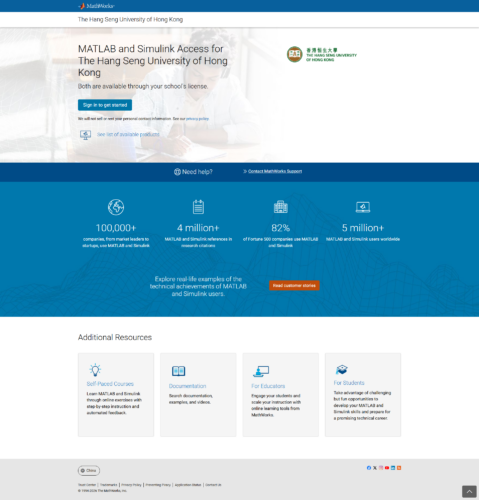
2. Click “Sign in to Get Started” button under Get MATLAB and Simulink section.
3. If you don’t have MATLAB account with HSUHK email address, please click “Create Account” button.
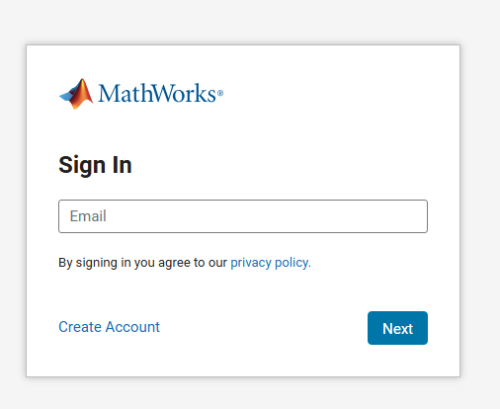
- Create an account with your HSUHK email account.
- This account is for accessing MATLAB and its related services.
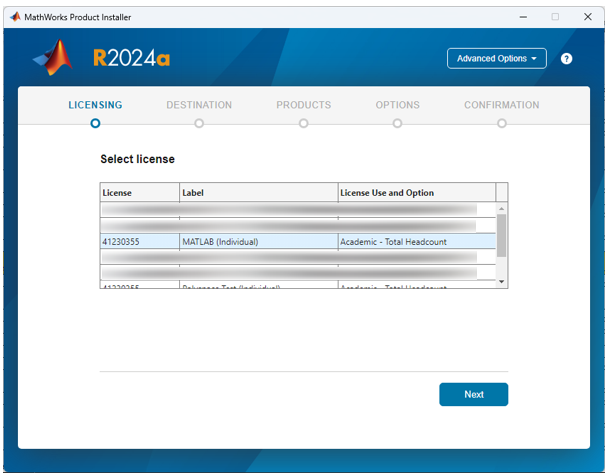
4. Once sign in, click “Get Started” button to get in HSUHK MATLAB portal. In this page, you may find “Install MATLAB” button to download MATLAB installer.
Additional Resources
You may find the following MATLAB useful information and resources in our HSUHK MATLAB Portal.
1. Training Videos
2. MATLAB Documentations
3. MATLAB Supports
4. Resources for Teachers and Students
Make the most of your unlimited access to MATLAB and Simulink with online training. View the full list of courses at mathworks.com/AcademicTraining